At WPM, we ensure that support billing is clear, traceable, and predictable. Each client has their own maintenance package or hour-based agreement, and all work is logged inside a connected system that enables precise time tracking and automated invoice generation. This gives clients full visibility into how their hours are used and which activities are included in their package versus billed separately.
How Billing Is Generated
Every request submitted through support is linked to an official work log. Once a task is completed, the technician records it in the billing system, noting the key details: request title, description of the work performed, request URL, and the exact time spent. The entry is also marked as either regular maintenance work included in the package or a billable task outside the included hours.
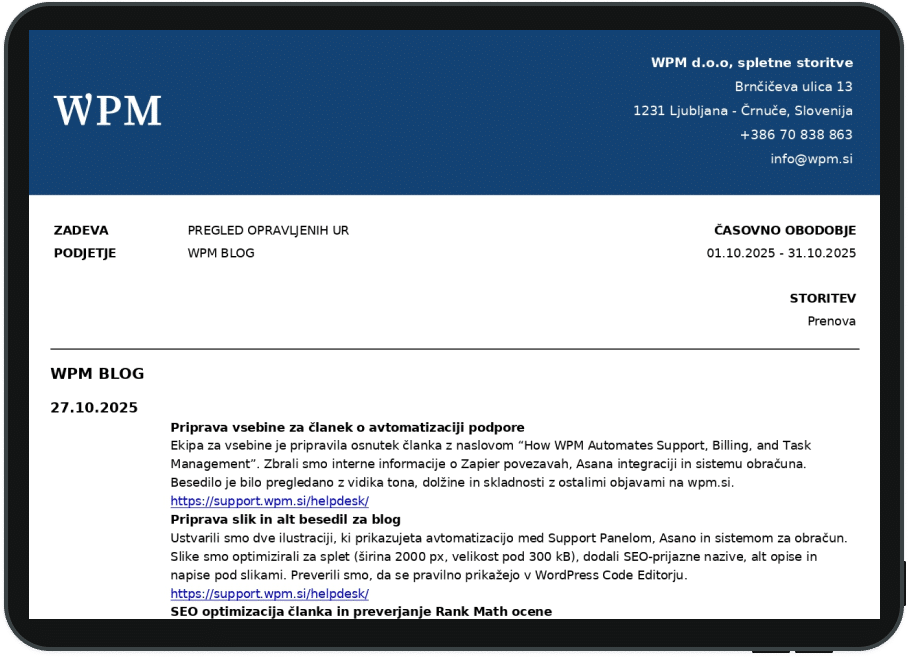
At the end of each month, the system automatically compiles all entries into a clear summary showing how many hours were used, for which tasks, and under which category. Each client receives an invoice containing links to the actual requests and a full breakdown of all completed work.
Maintenance Packages and Hour Usage
Most clients use annual or monthly maintenance packages that include a set number of support hours. These hours are used as requests come in, and the system automatically subtracts the time from the available balance, ensuring that the hour count is always up to date.
If the client does not use all their hours within a given period, these hours carry over into the next period. If usage exceeds the package, the system records the overage, and the following invoice includes the additional hours. This ensures every minute is accurately tracked with no manual calculations required.
Hour Blocks and One-Off Tasks
Some clients do not require a full package and only need occasional fixes or updates. In such cases, they can simply purchase hour blocks, which WPM uses to resolve requests as needed. These hours are tracked with the same transparency: every task is logged, and time is deducted from the purchased balance upon completion.
How Support Hours Are Separated From Project Work
Some tasks fall under project-type work, but they are always billed against the support-hour package first, regardless of the task type. Once the included hours are used up, any remaining project work is billed according to the approved offer. Project-related costs may be added to the standard invoice if needed, clearly marked as a separate section — but support hours from the package are always consumed first.
All Additional Services Are Properly Re-Invoiced
If the work incurs additional expenses — such as third-party services or upgrades — WPM re-invoices these costs directly, adding them to the invoice as clearly annotated line items. This ensures full transparency with no hidden charges. 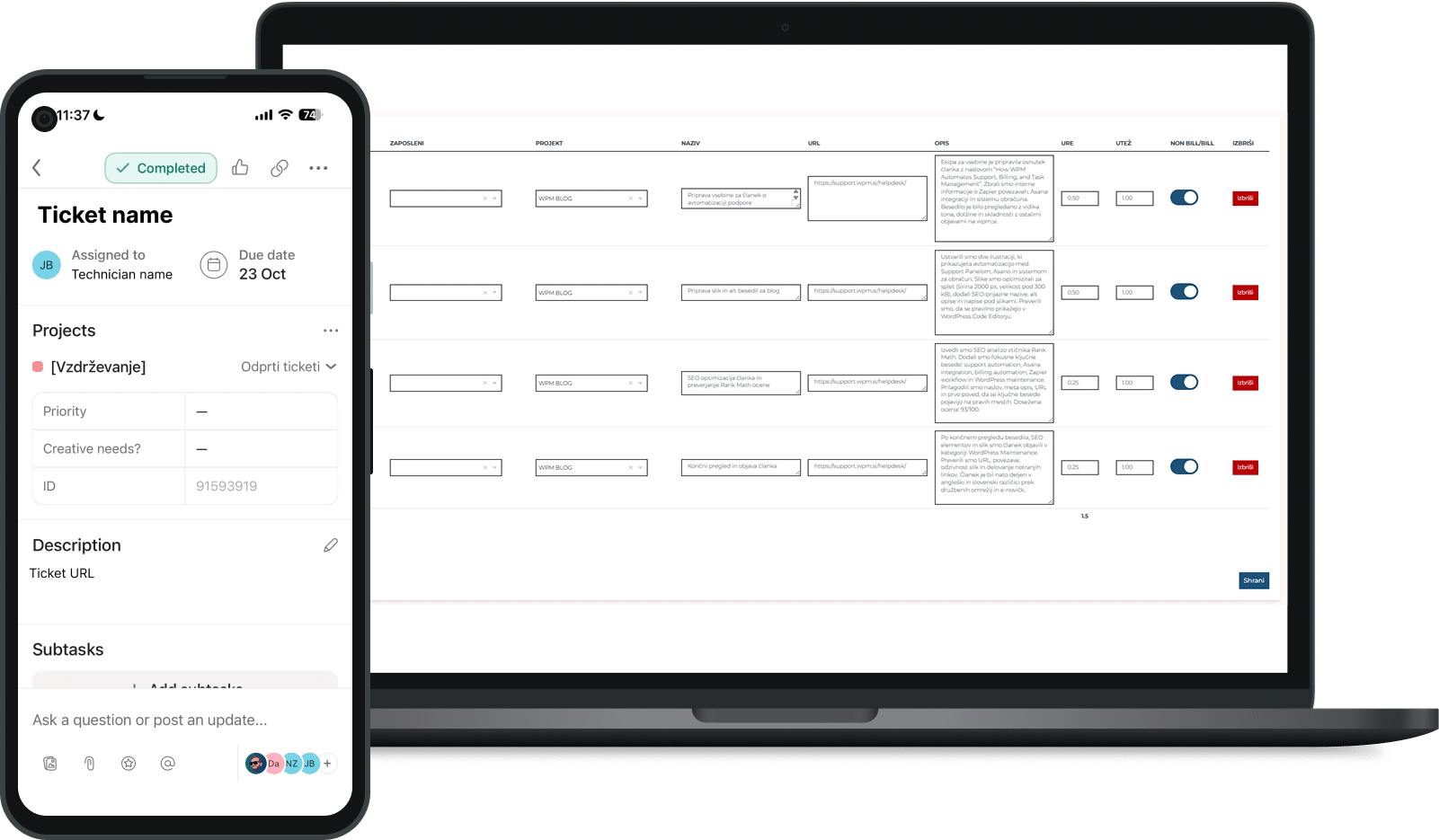
Conclusion
Thanks to WPM’s automated and transparent billing process, clients always know how their hours are being used, which tasks have been completed, and how their final invoice is formed. Everything is connected, documented, and fully traceable, ensuring reliable support without administrative stress.
60,00 € + VAT
per month
Inquiry100,00 € + VAT
per month
Inquiryupon agreement
Inquiry