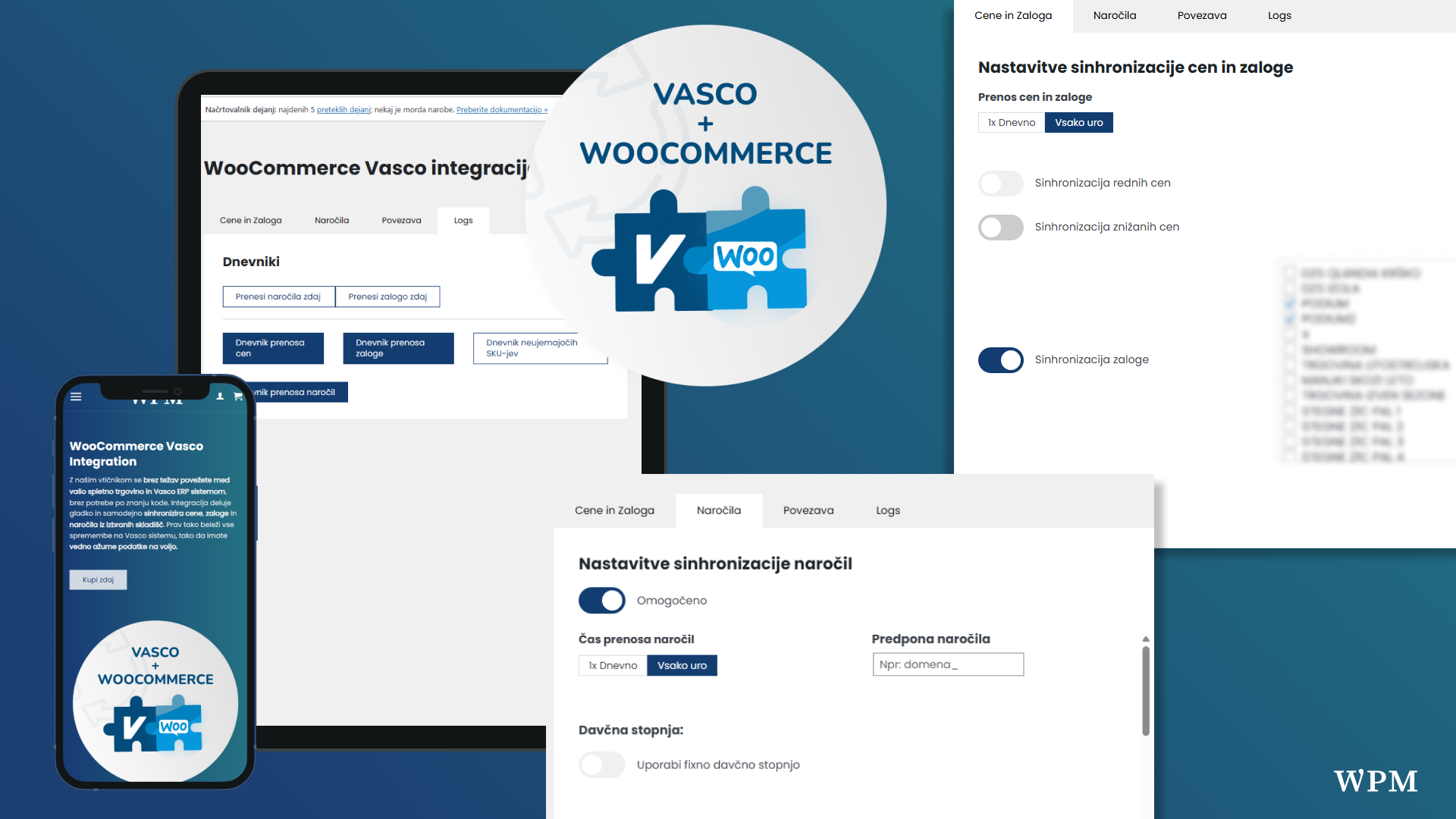
Running a successful online store often comes down to how smoothly you can manage orders and inventory. For Slovenian businesses using Vasco ERP, the WooCommerce Vasco Integration plugin delivers a powerful bridge between your WooCommerce store and Vasco’s back-office system. This plugin was built for one purpose: to eliminate manual work and ensure your stock, prices, and orders stay in perfect sync.
Why WooCommerce Vasco Integration?
Unlike generic ERP connectors, this plugin is tailored for the Slovenian market and works directly with Vasco’s API. That means no messy workarounds, no unreliable exports — just a native, automated link between your web shop and your ERP. For store owners, it translates into fewer errors, less time spent on admin, and more time growing sales.
Key Features That Make It Stand Out
The WooCommerce Vasco Integration plugin comes packed with features designed specifically for WooCommerce merchants:
- Automatic order export: Orders placed in WooCommerce are sent directly to Vasco ERP without any manual intervention.
- Stock synchronization: Product quantities update in real time so customers never order out-of-stock items.
- Price synchronization: Keep your webshop prices aligned with ERP settings, ensuring accuracy across sales channels.
- Custom VAT support: Full compatibility with Slovenia’s tax rules, including VAT on products and services.
- Logs & transparency: Detailed logs track stock and order syncs, giving you a clear view of what happens in the background.
With these features, the plugin guarantees a reliable connection between WooCommerce and Vasco ERP, removing the biggest pain points of running an online business.
Who Is This Plugin For?
If you’re a retailer, wholesaler, or distributor using Vasco ERP to manage operations, this plugin is a must-have tool. It empowers you to connect your WooCommerce shop with Vasco ERP in just a few clicks and maintain real-time accuracy across your systems. Instead of hiring custom developers or relying on fragile scripts, you get a ready-to-go integration built by experts who understand both platforms.

Benefits of Using Vasco Integration
The value of the plugin comes down to efficiency and reliability:
- Save hours each week by eliminating manual data entry.
- Minimize errors with automated syncs.
- Boost customer satisfaction by preventing overselling.
- Ensure compliance with Slovenian tax and invoice requirements.
In short, it’s not just about syncing products. It’s about giving business owners the confidence that their online store is always up to date and connected to their back office.
Continuous Development & Updates
Another strong point of the WooCommerce Vasco Integration plugin is its active development. The WPM team regularly releases updates, improving performance, adding new features, and responding to real-world merchant needs. That means the plugin isn’t just a one-time solution but a tool that evolves as your business grows.

Latest Update: Version 1.4.0
The plugin recently received its biggest update yet. Version 1.4.0 introduces major improvements in stock management:
- Support for multiple warehouses during stock synchronization (ability to select several warehouses at once).
- Summing of stock quantities from all selected warehouses.
- Extended
stock_log.txtlogs showing per-warehouse stock. - A new manual stock sync button inside administration (in addition to the existing orders button).
This update makes the plugin even more powerful for businesses managing inventory across multiple locations.
WooCommerce Vasco Integration is setting a new standard for Slovenian online shops. If you’re using Vasco ERP, there’s no better way to connect your store.
Want to learn more or get started? Visit the official WooCommerce Vasco Integration plugin page to explore all the details and download the integration.
Find out more